Accessible e-learning:
Guidelines and practical implementation
02-11-22 | 11 minutes reading time
Guidelines and practical implementation
02-11-22 | 11 minutes reading time

Susanne Heindl
Project lead
Accessible e-learning means that all employees—including those with disabilities—can access your digital training courses. The most important thing is to offer content via at least two sensory channels (e.g., sight AND hearing), use meaningful alt text for images, and include subtitles for videos. If you're on a tight budget, create accessible PDF versions as an alternative. The effort is worth it: you'll reach more learners and create a more inclusive work culture.
Fortunately, digital training courses are inherently barrier-free - right? After all, there is no difficult path to the seminar room, no stairs or obstacles in public transport: so everyone can participate in digital learning content. Unfortunately, the reality is different. Even in e-learning, there are often many barriers that make it difficult - or even impossible - for many employees to access this learning content.
The reality: Digital barriers can also make things tough at work
Around 57% of people with disabilities between the ages of 15 and 64 are integrated into the labor market. However, depending on the disability or degree of disability, this can be difficult as there are many barriers in their way. The obstacles that make the everyday (working) life of people with disabilities more difficult are as diverse as the causes of the limitations - including in the digital context. It should not be forgotten that other forms of barriers can also arise for people without disabilities - be it through language, level of knowledge, physical conditions or external circumstances.
While digital training has the advantage that learners can complete it anywhere, it can present a variety of other barriers. Unlike buildings, barriers in e-learning are not spatial, but mostly communicative. This means that people with disabilities, chronic illnesses or other impairments have difficulty navigating e-learning.
Overview of the most important WCAG 2.1 Level AA requirements
Certifications and international guidelines can serve as an orientation aid when creating e-learning and also represent a seal of quality for your own company. One possible certification for accessible digital content is the . For example, the WACG 2.1 Level AA ("Acceptable Compliance") specifies that

Color contrast:
The color contrast should be at least 4.5:1 to optimize readability.

Alternative text:
Alternative text (alt text for short) or similar solutions for describing graphics that have an important meaning.

Navigation:
For intuitive navigation, the navigation elements must be uniform throughout the entire training course.
Input fields:
Input fields must have accurate and meaningful descriptions.

Hierarchy:
Headings are used in a logical order for easy orientation.
Below we present the most common barriers in e-learning and show you how you can meet the above WACG 2.1 requirements and make your digital training courses accessible - or at least as accessible as possible:
Removing barriers for people with visual impairments
Learners with severe visual impairment, or blind learners, cannot perceive the slide text and visualizations in the form of images, animations or videos. However, the menu structure, buttons and interactions can also cause problems.
The solution: screen reader optimization and alt text
These barriers can be overcome by providing learners with the content audibly or via a Braille display. Design e-learnings in such a way that they are optimized for Screenreader. You can do this by developing so-called alt texts for images and graphics and fields and buttons should have a clear descriptive text. Also pay attention to the hierarchy and order of the content Define the order in which the screen reader should read out the elements.
You should also consider making any downloads or links from the training accessible. Links in the text, for example, should not simply be distinguished from normal text by color highlighting; there must be at least one other visual distinction. This can be an underline, for example, which is the most common convention, or a preceding symbol - or both. Link texts should also be clear. So instead of "Download now", you should write "Download e-learning hacks whitepaper", for example.
Font sizes and contrast requirements
For learners with limited vision, it is helpful to use sufficiently large font (at least 12 pt., better 14 pt. or 16 pt.) and controls with a high-contrast color scheme. More contrast and size means that the font is easier to read. A zoom function is also helpful for those who need a little more support.
Removing barriers for people with hearing impairments
For people with a hearing impairment, spoken texts are a typical barrier.
The solution: subtitles
Subtitles with a hearing-impaired transcription, e.g. in the form of Closed Captions (CC), can solve this problem. The difference between subtitles and CC is that with the latter, not only is the dialog illustrated, but relevant sound effects and music are also described. Depending on the degree of restriction, however, a slow speaking tempo with clear pronunciation can also contribute to the solution.

Example training: This GDPR course has both a speaker and subtitles, making it easier for people with a hearing or visual impairment to access the training.
Removing barriers for people with motor disabilities
For learners who have difficulties with motor tasks, interactions can cause problems. This can start with navigating through the training, include clicking buttons and can be a barrier especially with tasks such as drag and drop.
The solution: Customize the user interface design
Large buttons (at least 44 pixels clickable area) and simple navigation are a simple help here. While interactions can be important for learning success, their use and form should be considered on a case-by-case basis.

However, barriers are not always caused by a disability. They can also be caused by language, for example - whether the learner does not have a good command of the language or is not familiar with technical terms. It is therefore advisable to use simple language wherever possible, short sentences, slow down the pace of speech and use subtitles.
Different levels of knowledge in a particular subject area and a lack of digital or learning skills can also present barriers. You can remove these barriers by clearly communicating the benefits for learners, but also by offering a permanent contact person who is available to answer questions and other concerns.
In addition, barriers can arise due to external circumstances: Learners may not be able to hear training courses with sound in an open-plan office or when traveling, for example, if they do not have headphones available. Subtitles can also help here. In addition, a poor internet connection can disrupt the smooth running of the training, which can often be avoided by using a small file format for the training.
If there is a lack of time and budget when creating an e-learning course, it can be a "quick fix" to present the learning content as an accessible PDF. This way, you can convey the desired content to all learners despite little effort.
However, an intuitive, elaborated training is usually more effective and the effort is worth it: the added value of an effective training course that all learners can complete outweighs the additional costs in most cases. At this point, one should also look beyond short-term financial figures. Because a workplace where all employees feel comfortable and valued creates a positive culture and therefore brings various long-term benefits. What's more, many features that are supposedly only helpful for a minority can also be beneficial for the general public. LED notifications on smartphones are a good example. Originally a function for users with a hearing impairment, many hearing people also use this function because they often cannot hear the smartphone ringing for various reasons or vibrations are too subtle.
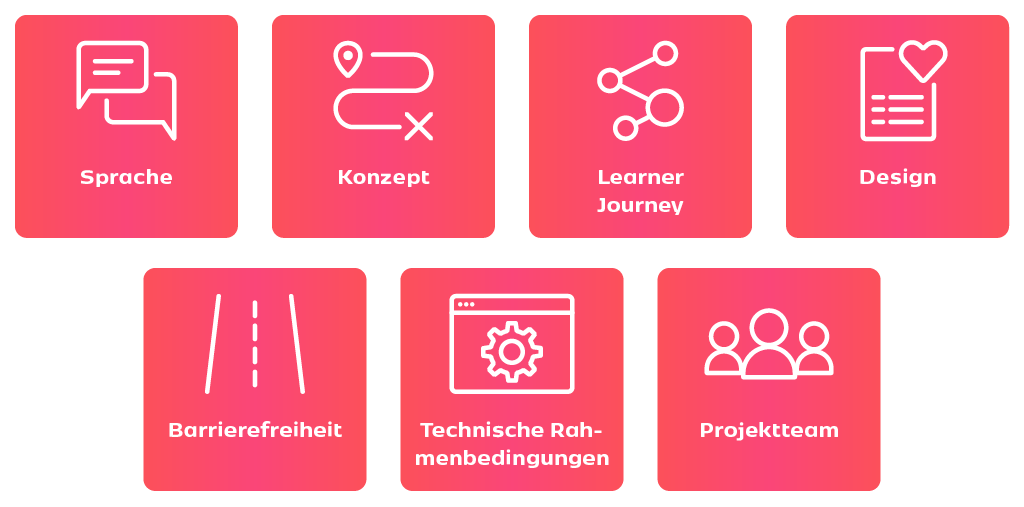
Graphic: Accessibility as an integral part of the project roadmap
Two-sense channel rule for e-learnings
If you decide to offer accessible e-learning, it is highly recommended that you plan for this right from the start. In this way, you can keep an eye on making content and media accessible right from the design stage. The rule of thumb is: Provide information via at least two sensory channels (in most cases visual and auditory). A very good example of this is the explainer video on the General Equal Treatment Act (AGG) from the Federal Anti-Discrimination Agency, which you can find at the following link: Video on the AGG. It is also important to bear in mind that removing certain barriers entails conceptual limitations. Learners who are motor-impaired or rely on a screen reader due to a visual impairment cannot manage drag and drop tasks. It is then up to those responsible to decide on a case-by-case basis whether complex conceptual means can be dispensed with in favor of accessibility. If this is not the case and complex interactions are central to learning success, it makes sense to create a simplified, accessible version alongside the complex form of the training.
Testing in collaboration with affected parties: Obtaining feedback
For those designing an e-learning course, it can be difficult at first to think of every potential barrier and create an accessible e-learning course for all learners straight away. This is because it is often difficult to empathize with the learners for whom the barriers arise. But you shouldn't be afraid of this - it's completely normal not to be able to design everything perfectly straight away. This makes it all the more important to talk to those affected in order to understand their needs.** When a draft of the e-learning is ready, you should not hesitate to let those affected test it and get feedback - this way everyone involved benefits.
Even if the development and adaptation of accessible e-learning is often costly and time-consuming, adapted e-learning increases the reach of your content - after all, you are now reaching an additional target group that you have not previously served. Ultimately, you also have a business advantage and the costs are amortized relatively quickly. More importantly, however, you can increase the acceptance of your digital training courses and increase the satisfaction of your learners with accessible e-learning.
Update 2025
The Accessibility Improvement Act (BFSG) has gone into effect in 2025. This is a good time to take a look at what this means for the production of digital learning content.
You can find our detailed topic page with all the important information about the law, including a AI chatbot, here.
You have the goals, we have the solutions – together we will find the best one for you.